Education
Ignition. Run your consultancy like a control tower
Ignition is an admissions and operations platform built for international education consultancies — the firms that take a student from a first enquiry through eligibility, university shortlisting, application, offer and enrolment.
That journey touches half a dozen people and generates a stack of paperwork. Before Ignition, most of it lived in spreadsheets, inboxes and a shared drive, which meant nobody could answer the only question that mattered: where is this student right now, and what is stopping them moving forward?
Ignition puts the whole journey in one pipeline, attaches the documents to the student rather than to a folder, and gives counsellors, document officers and management a view of the same file.
- Admissions CRM & operations platform
- Product type
- International education consultancy
- Industry
- Counsellors, admissions staff, management
- Primary users
- Student pipeline, documents, applications
- Core focus
The problem
An education consultancy is a document business wearing a sales business's clothes. Every student generates transcripts, passports, financial evidence, English test results, offer letters and visa paperwork, and each of those has a deadline attached. When that lives across a spreadsheet, a drive and a chat thread, work gets duplicated, files go missing, and a student quietly stalls for three weeks before anyone notices.
- No single view of where a student sits in the journey
- Documents scattered across drives and inboxes
- Eligibility checked manually, and inconsistently
- Application deadlines tracked from memory
- Counsellor workload invisible to management
- Payments and commission reconciled by hand
The vision
One student, one file, one pipeline.
Ignition was designed around the file rather than around the sale. Everything the consultancy knows about a student — the enquiry, the eligibility assessment, every document, every application and every payment — attaches to one record that moves through the pipeline.
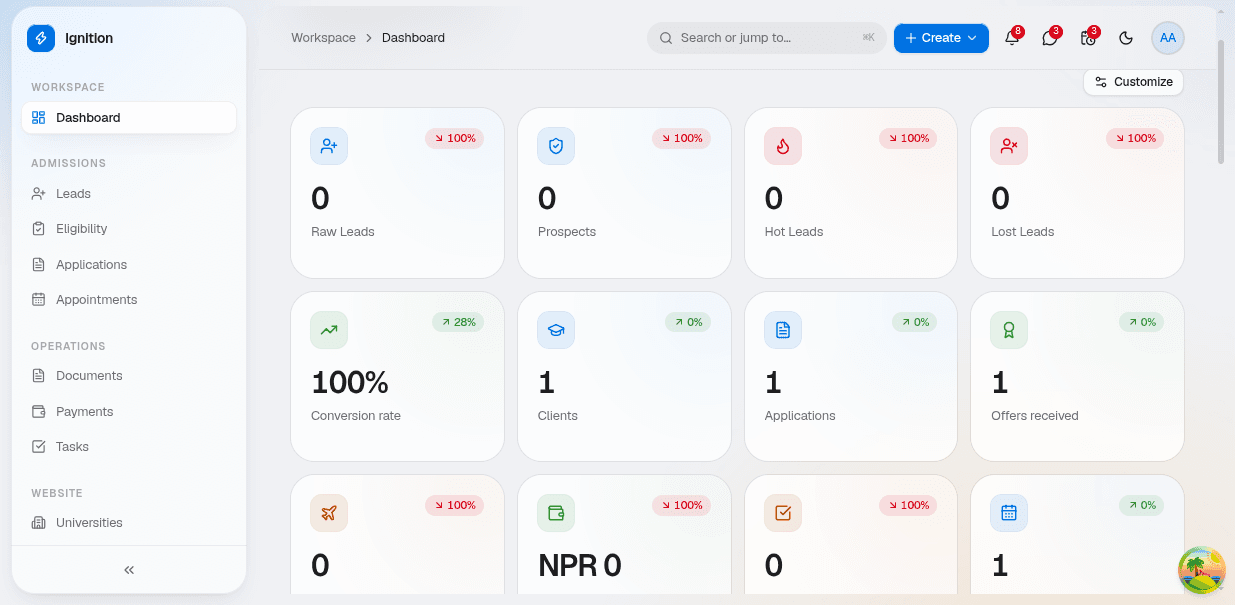
The dashboard exists so that management never has to ask for a status update. Raw leads, prospects, hot leads and lost leads sit alongside conversion rate, applications submitted and offers received, and each figure drills into the students behind it.
What it does
Lead capture and qualification
Enquiries arrive from the website, walk-ins, referrals and campaigns, and land in one queue. Each one is categorised, assigned to a counsellor and moved through raw lead, prospect and hot lead as the conversation develops.
Eligibility assessment
A structured check against academic history, English scores, financial capacity and destination requirements, so two counsellors assessing the same student reach the same answer — and the reasoning stays on the record.
Applications
Applications are tracked per student, per university and per intake, with status, submitted date and outcome held against the file. Offers received roll straight into the dashboard figures.
Documents
Every required document is listed against the student with its own state — missing, uploaded, verified or rejected — so the gap between where a file is and where it needs to be is never a guess.
Appointments and tasks
Counselling sessions, document collection and follow-up calls are booked against the student and appear on the assigned staff member's workspace, with reminders ahead of each one.
Payments
Service fees, application fees and instalments are recorded against the student in local currency, giving management a running view of collected and outstanding revenue.
University directory
An internal catalogue of institutions, courses, intakes and entry requirements that counsellors shortlist from, so recommendations come from one maintained source rather than from individual memory.
Workspace dashboard
Role-aware metric tiles across admissions and operations — raw leads, prospects, hot and lost leads, conversion rate, clients, applications, offers received, revenue and appointments — each with period-on-period movement, and each customisable per user.
Ignition turned a consultancy's admissions process from a set of parallel spreadsheets into one pipeline with an audit trail. The team stopped asking where a file was and started asking what to do next with it.